 Pigeon
Welcome to trypigeon.dev
Pigeon’s new home at trypigeon.dev — free open-source macOS API client with auto-named tabs, domain history, environments, and cURL import.
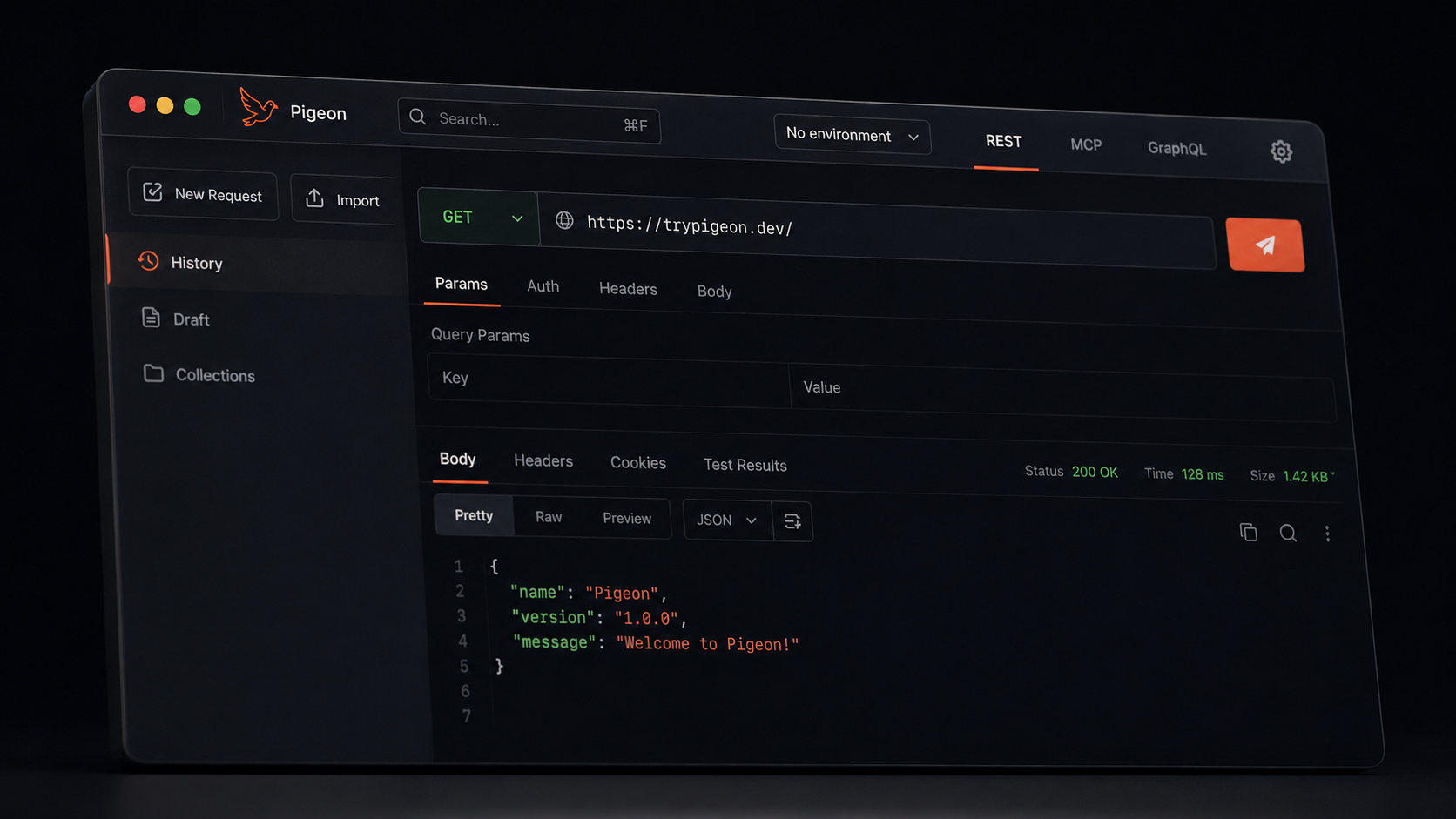
Pigeon is a free macOS API client. You open it, type a URL, hit send. No account. Your history, collections, and keys stay on your disk.
We finally put a real site in front of it: trypigeon.dev. Same app. Clearer story. This post is the short tour of what ships today.
The big idea
Most API clients got heavy — sign-in walls, cloud sync, tabs you never asked for. Pigeon went the other way:
- No account, ever — open the app and send a request
- Local by default — collections, history, and environments live on your machine
- Native and small — built for API work, not as a mini browser
Everything below is how that shows up day to day.
It organizes while you work
You shouldn’t have to rename tabs and pick folders after every call.
Tabs name themselves. Send a request and the tab picks up the path. Rename it once and it stays put.
History files by domain. Calls land under the host — api.stripe.com, localhost, your staging box — not a flat pile of timestamps. We wrote more about that here.
Drafts stick around. Half-finished URLs don’t vanish when you close a tab.
Collections when you mean it. Want a hand-built tree? Save with ⌘S. Folders, nesting, the usual — still local.
Build and send requests
The request builder is the center of the app:
- Color-coded methods and a URL bar that stays readable
- Params, Auth, Headers, and Body in clean editors
- JSON, form data, raw text — whatever the API wants
- Responses with status, headers, and a body you can actually read
Environments use {{variables}} for dev, staging, and prod. Secrets stay masked. Before a destructive method hits production, Pigeon asks you to confirm.
cURL in and out. Paste a curl from the docs and get a ready request. Copy back out anytime. Postman collections import too.
SSE streams. Live event streams render as they arrive — newest on top. Hit Stop when you’re done.
Move fast without the mouse
Pigeon is keyboard-first:
| Shortcut | What it does |
|---|---|
⌘↵ |
Send |
⌘K |
Command palette / search |
⌘⇧E |
Environments |
⌘S |
Save to a collection |
⌘/ |
Shortcuts help |
The palette finds requests, collections, and actions when you don’t want to dig through the sidebar.
Small things that still matter
These aren’t the headline features, but you’ll notice them:
- Tabs you can reorder and close without drama
- Themes and request defaults in Settings
- Update checks when a new build is out
- Your data stays exportable — you’re not locked in
- GraphQL-over-HTTP works through normal content types today; a dedicated GraphQL bench is still on the way
- MCP is coming later — the REST workspace is what we polish first
Get Pigeon
curl -fsSL https://trypigeon.dev/install.sh | shOpen source, free forever: github.com/pigeon-client/pigeon. Star it if it saves you a few clicks.