 Pigeon
Paste a curl, get a request
Paste any curl from API docs into Pigeon and get a full request — method, headers, body. Copy back out as curl anytime. Free open-source macOS client.
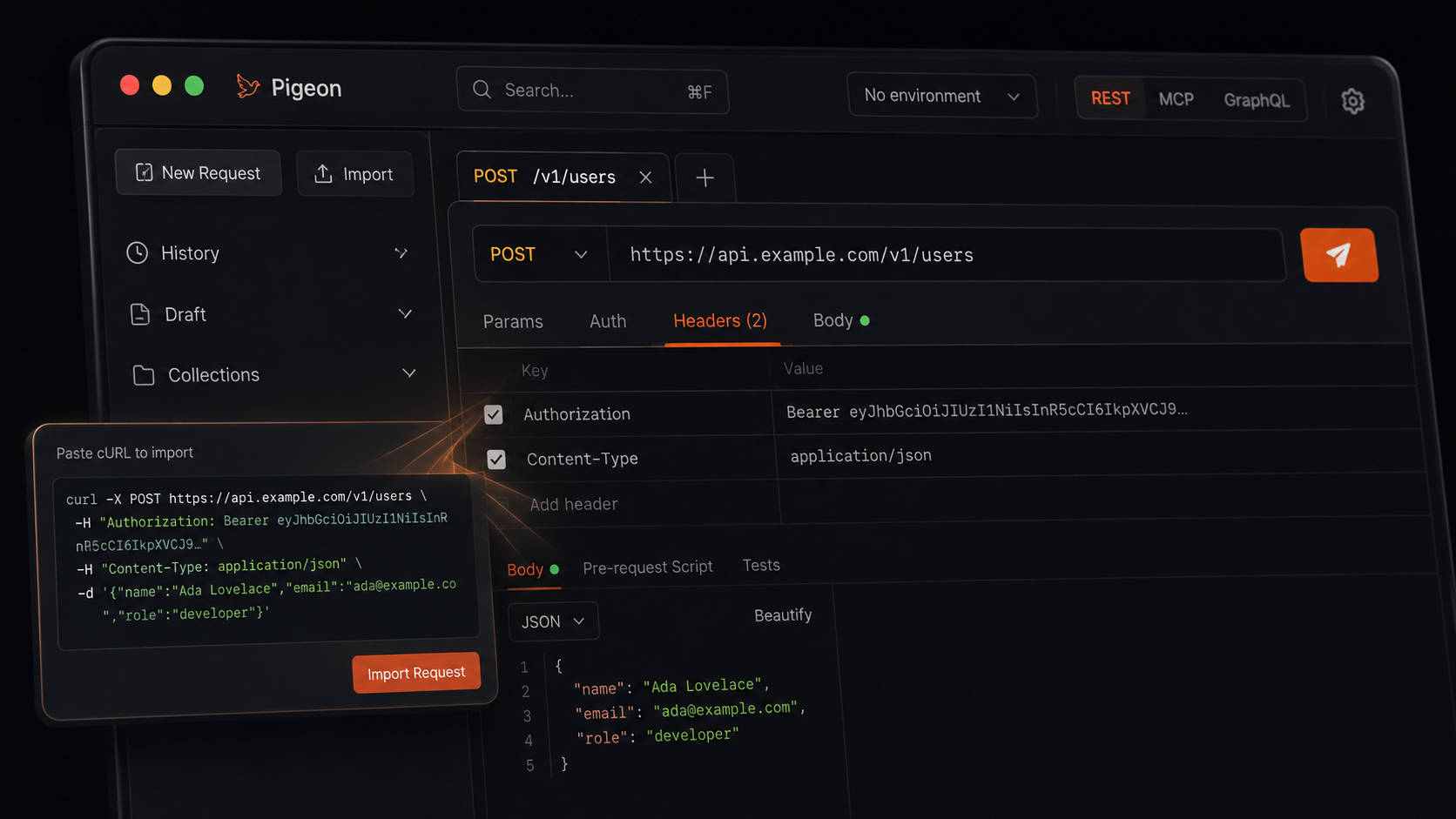
Docs love curl. Your terminal loves curl. Most API clients make you rebuild the request by hand — method, URL, headers, body — while the curl sits in your clipboard mocking you.
In Pigeon you paste the curl and get a real request. Headers land where headers go. Body lands in the body. Auth usually comes along for the ride.
And back out again
Need the shell form later? Copy as curl. Handy for a teammate, a script, or the same terminal you started in.
When it helps most
- Onboarding to a new API from the official docs
- Reproducing a failing call someone sent in Slack
- Moving a one-off probe into a collection without retyping
Paste. Check. Send. Move on.
Get Pigeon
curl -fsSL https://trypigeon.dev/install.sh | shOpen source, free forever: github.com/pigeon-client/pigeon. Star it if it saves you a few clicks.