 Pigeon
Environments without the mess
Switch {{baseUrl}} between dev, staging, and prod in Pigeon. Secrets stay masked; destructive calls to production get a confirm. Free macOS API client.
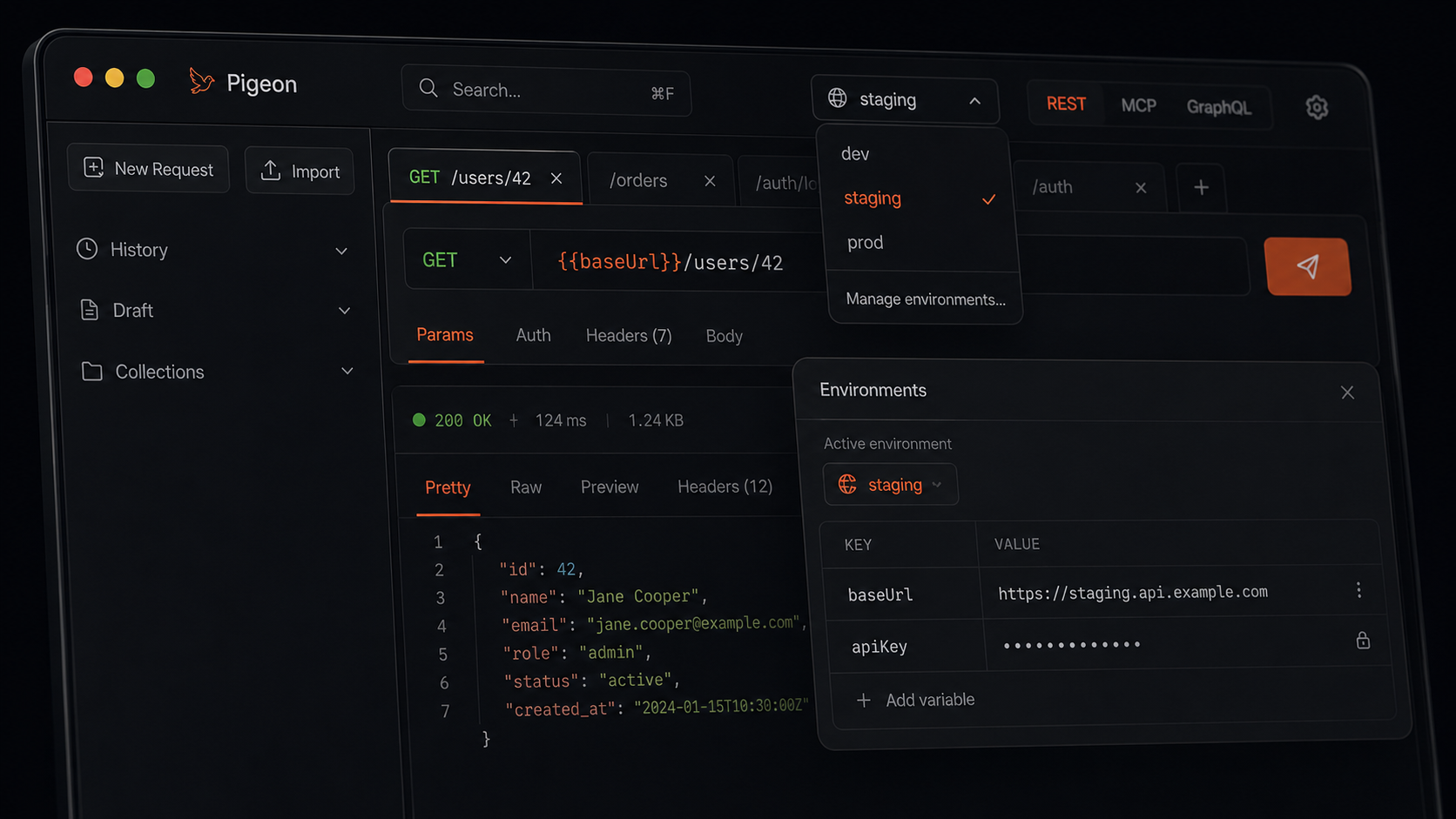
Hardcoding localhost:3000 in every request works — until it doesn’t. Then you’re find-and-replacing hosts at 11pm, hoping you didn’t miss one.
Pigeon environments use {{variables}}. Point {{baseUrl}} at dev, staging, or prod and flip the active env. The URL bar updates. You keep typing.
Secrets stay quiet
API keys show as masked dots in the UI. You can still paste and send them. You just don’t leave a live key glowing on screen when someone glances over.
A nudge before prod
Destructive methods against production get a confirm step. Not a lecture — a pause. Easy to skip past in a hurry; harder to accidentally DELETE on the live API.
Set up three envs once. Flip between them all week.
Get Pigeon
curl -fsSL https://trypigeon.dev/install.sh | shOpen source, free forever: github.com/pigeon-client/pigeon. Star it if it saves you a few clicks.